Claude Desktop
Claude Desktop 使用 Anthropic Messages API。請把它指向 Anthropic 相容網關。
快速開始
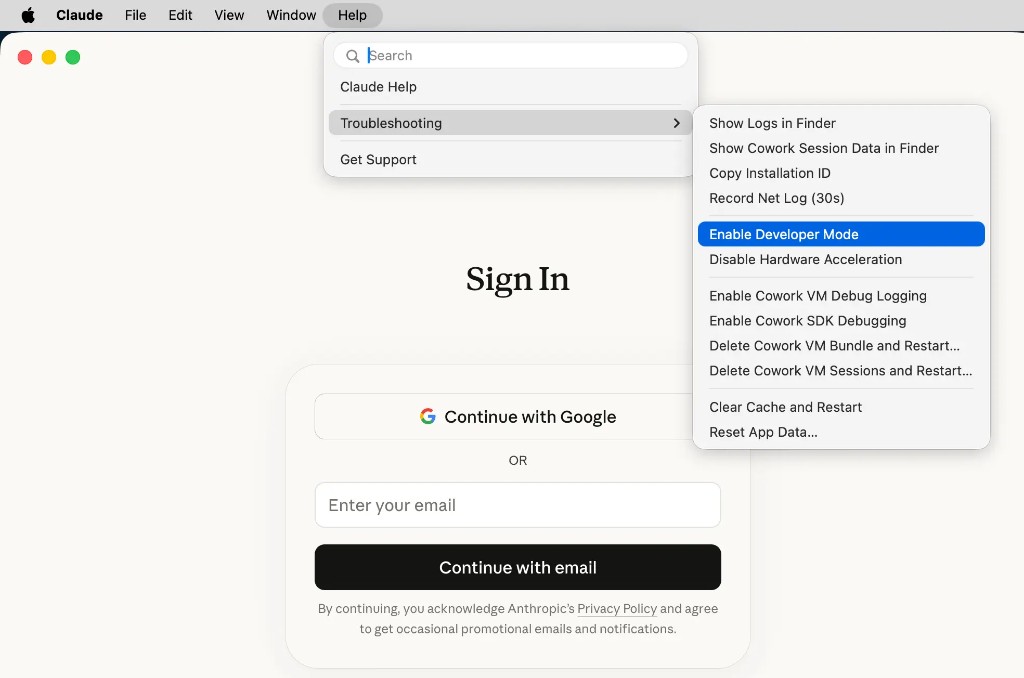
步驟 1:啟用開發者模式
啟動 Claude Desktop,毋須登入。開啟「說明」>「疑難排解」,然後按「啟用開發者模式」。選單列會新增「開發者」選單。
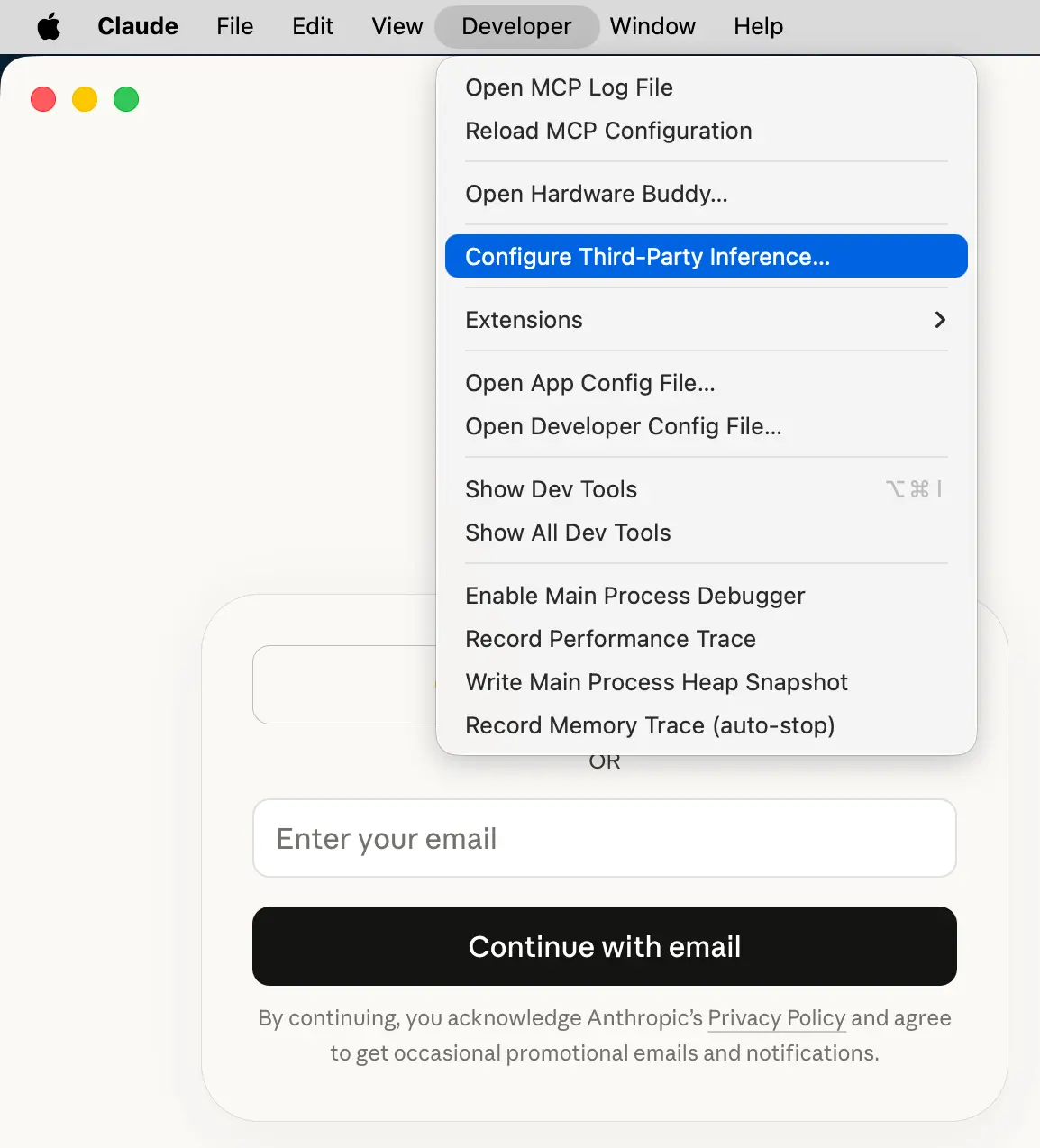
步驟 2:開啟第三方推理設定
在選單列按「開發者」>「設定第三方推理…」。
步驟 3:輸入網關資料
把後端設為 Gateway(Anthropic 相容),然後輸入:
| 欄位 | 值 |
|---|---|
| Gateway Base URL | https://api.benpay.ai/anthropic/v1 |
| Gateway API 密鑰 | 你的 Board API 密鑰 |
| Gateway 驗證方式 | bearer |
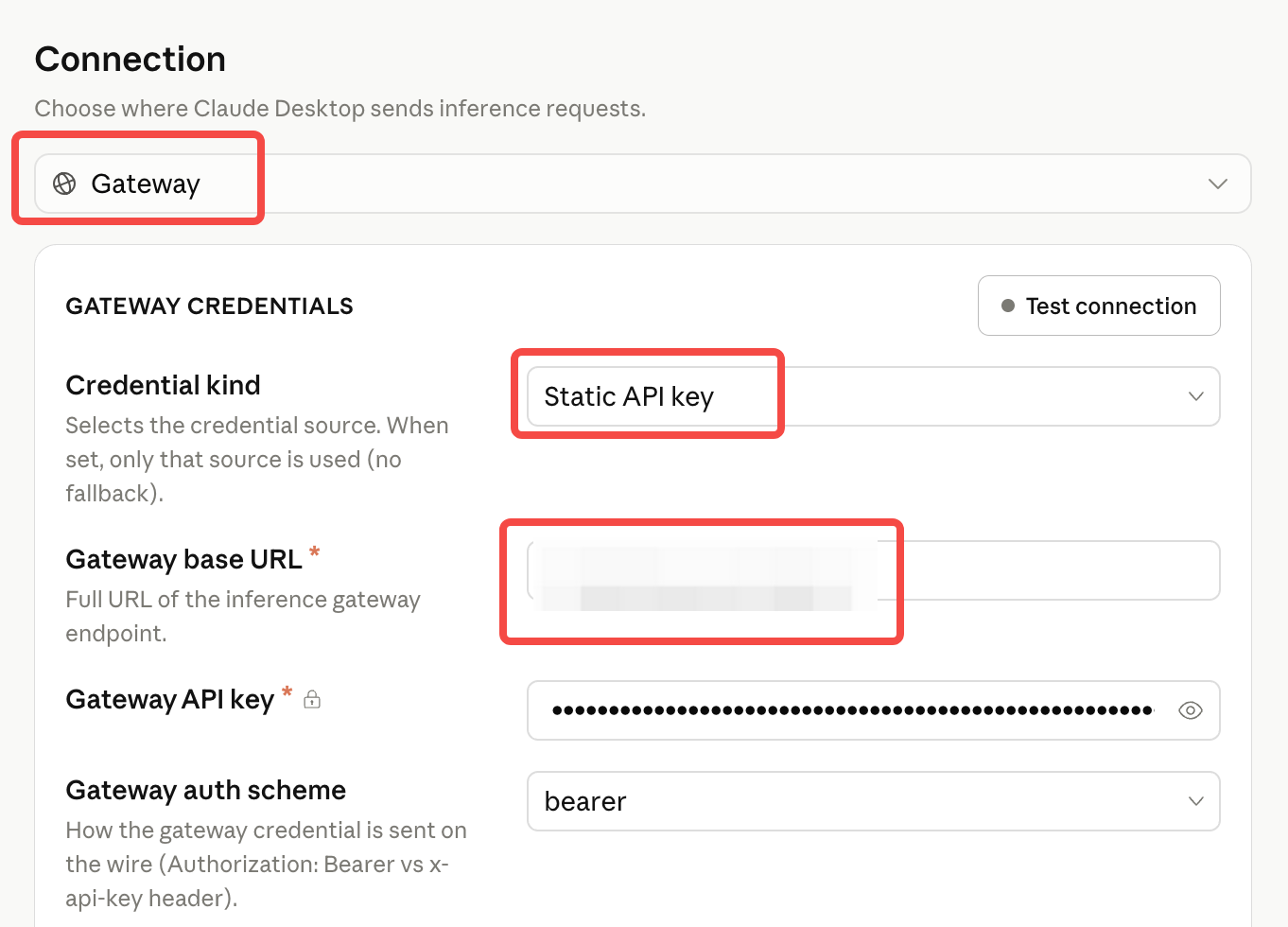
按「套用到本機」儲存設定,完全結束 Claude Desktop 後重新開啟,再選擇模型開始使用。