Claude Desktop
Claude Desktop uses the Anthropic Messages API. Point it at the Anthropic-compatible gateway.
Quick Start
This guide helps you get Claude Desktop running through the gateway in a few minutes.
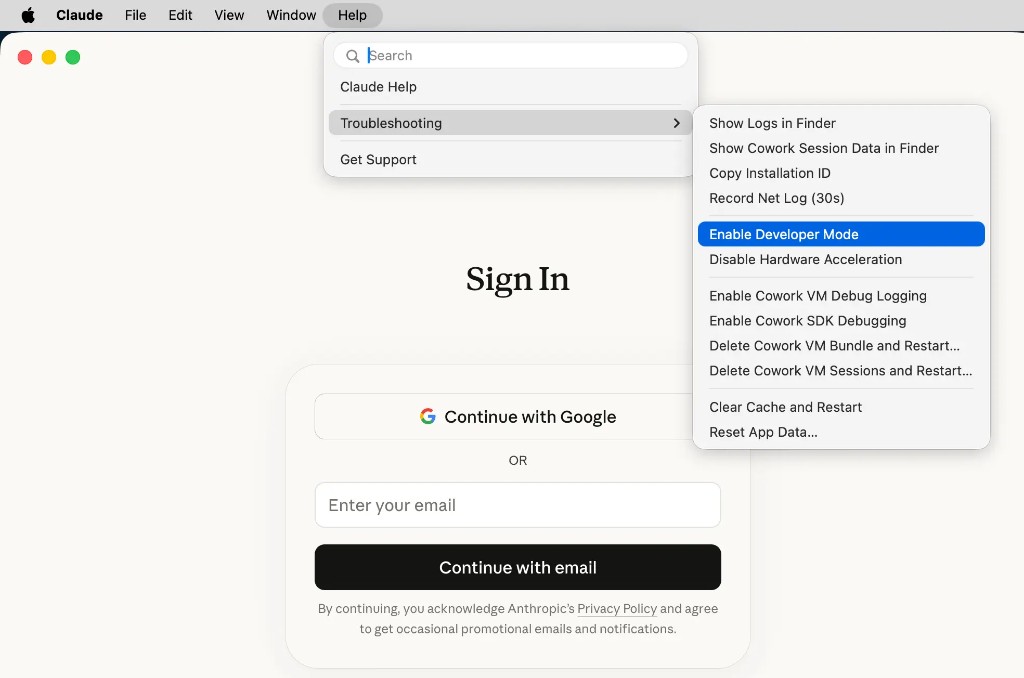
Step 1: Enable Developer Mode
Launch Claude Desktop — no sign-in required. Open Help > Troubleshooting, then click Enable Developer Mode. This adds a Developer menu to the menu bar.
Step 2: Open the third-party inference panel
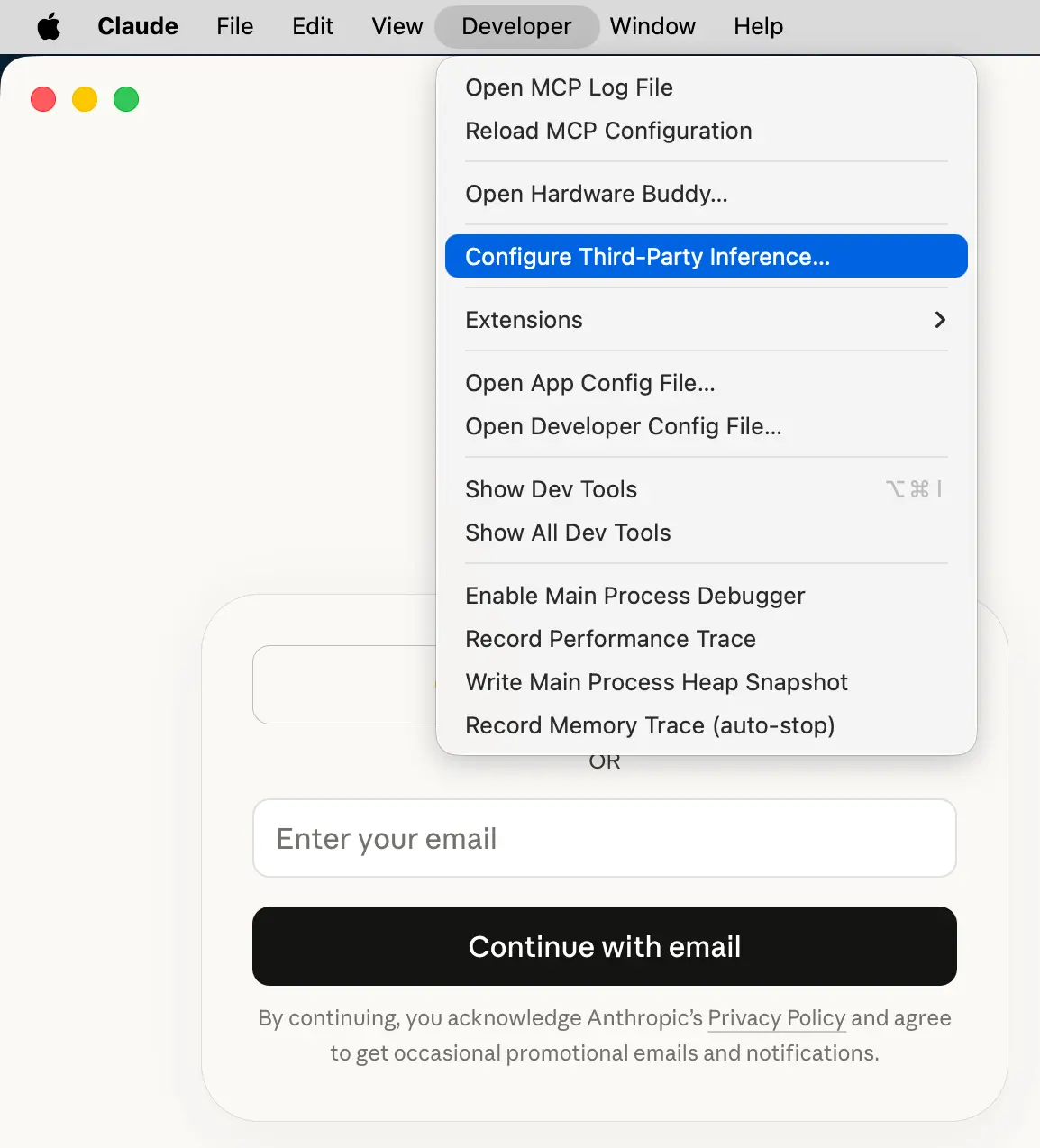
In the menu bar, click Developer > Configure third-party inference….
Step 3: Enter gateway credentials
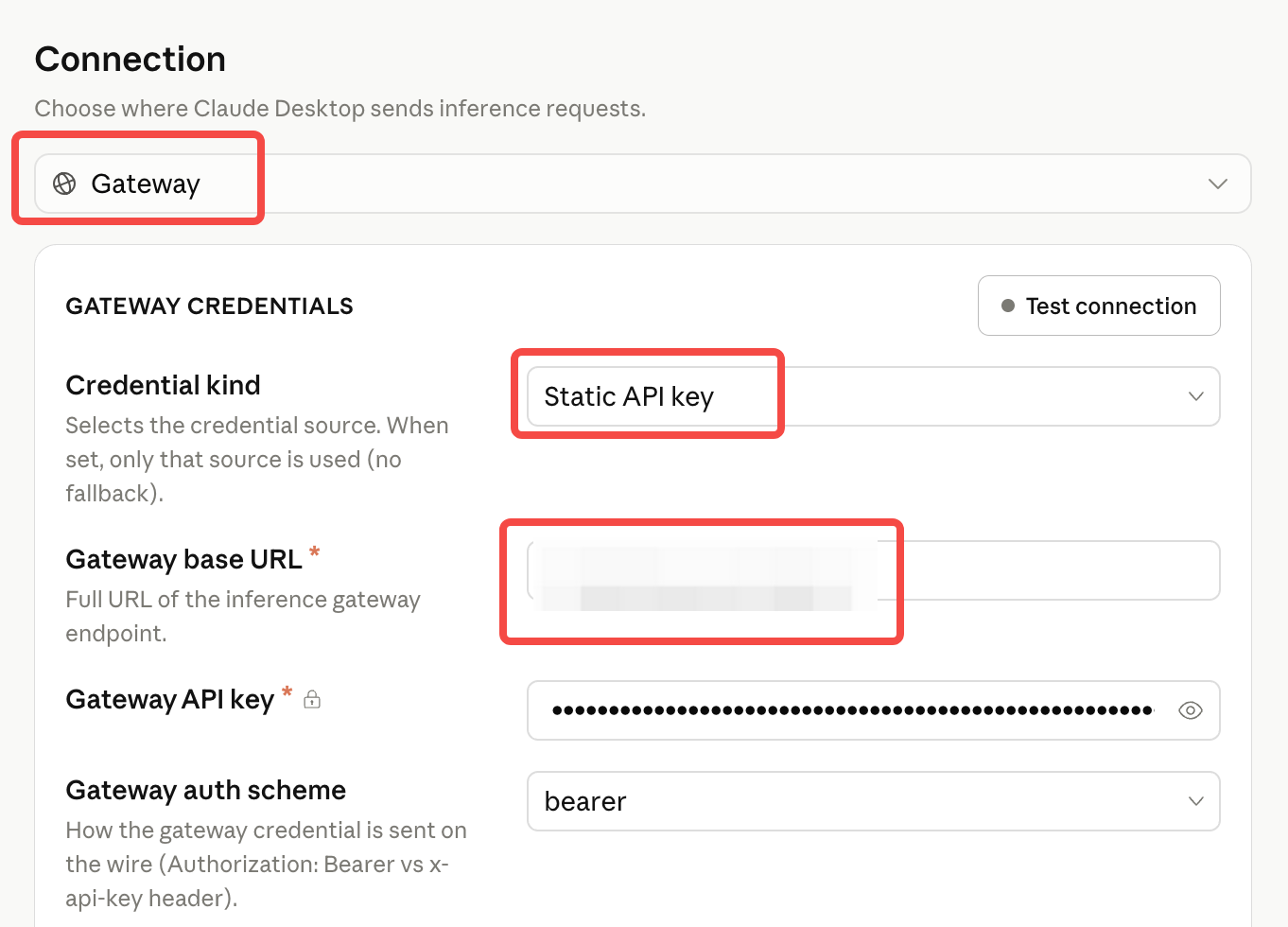
Set the backend to Gateway (Anthropic-compatible), then enter your credentials:
| Field | Value |
|---|---|
| Gateway Base URL | Anthropic URL copied from the homepage |
| Gateway API key | Your Board API key |
| Gateway auth scheme | bearer |
Click Apply locally to save.
Step 4: Restart
Fully quit Claude Desktop and reopen it.
Step 5: Select a model
Choose the model you want to use and start chatting.