Trae
Trae uses the OpenAI API. Point it at the OpenAI-compatible gateway.
Quick Start
This guide helps you get Trae running through the gateway in a few minutes.
Step 1: Add a connection provider
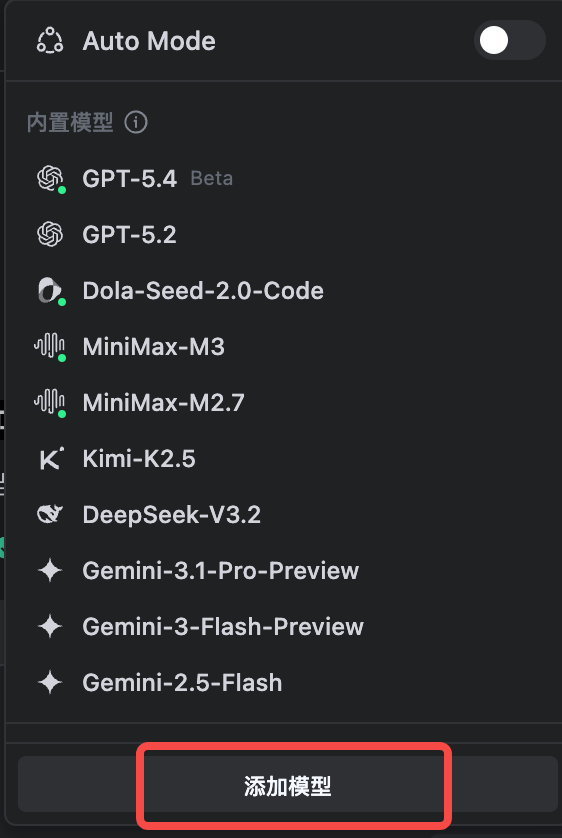
Launch Trae. Find the input box in the bottom-right corner, click Auto below it, turn off Auto Mode, then click Add model.
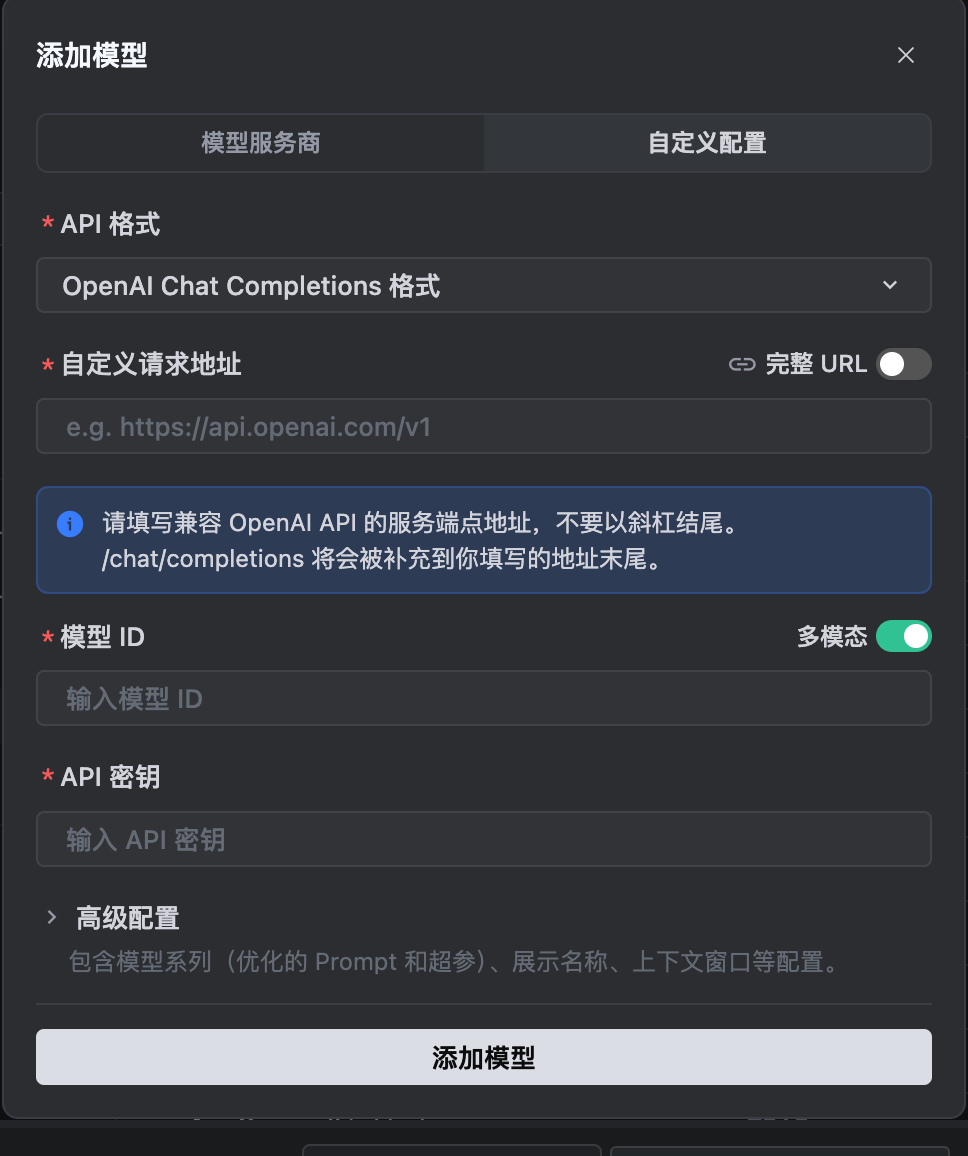
Step 2: Fill in provider details
Custom request URL OpenAI URL copied from the homepage
Model ID The model you want to use, e.g. gpt-5.5
API key Your Board API key
Step 3: Select a model
Choose the model you configured in Step 2 and start chatting.